.png)
This quarter, we've focused on improving how you visualize, navigate, and analyze your workspace—making it easier than ever to stay on top of issues and assets.
1. Add a toggle to show all assets on the floor level
We've added a toggle button that lets you view all assets on a single floor level. No more switching between views—get the full picture instantly.
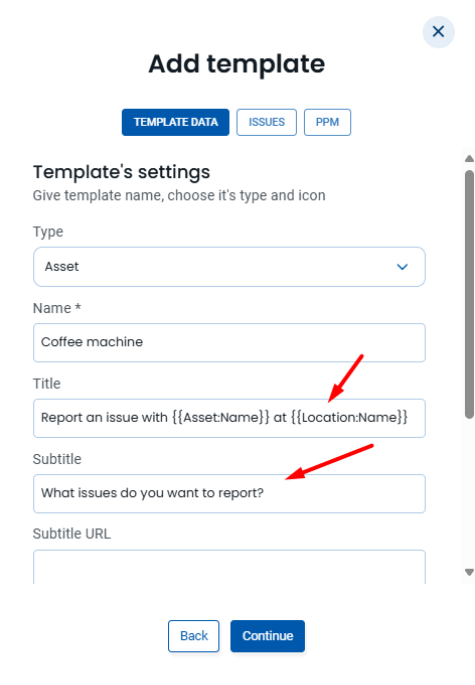
Preset templates now come with default titles and subtitles already configured. Less setup time, more consistency across your workspace.
3. Placing the asset on the Map directly from the ticket details screen
Found a ticket for an unmapped asset? You can now place that asset on the map directly from the ticket details screen. No need to jump between screens—it's all connected.

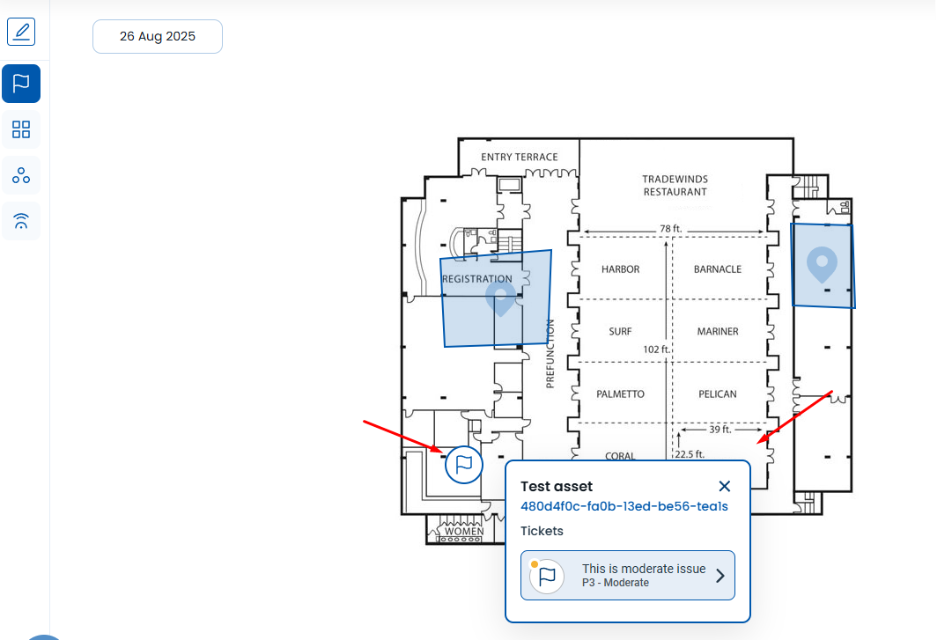
4. Highlight deep-linked ticket on the Map
When you navigate to an asset from a ticket, it's now highlighted on the map automatically. Find what you need in seconds!
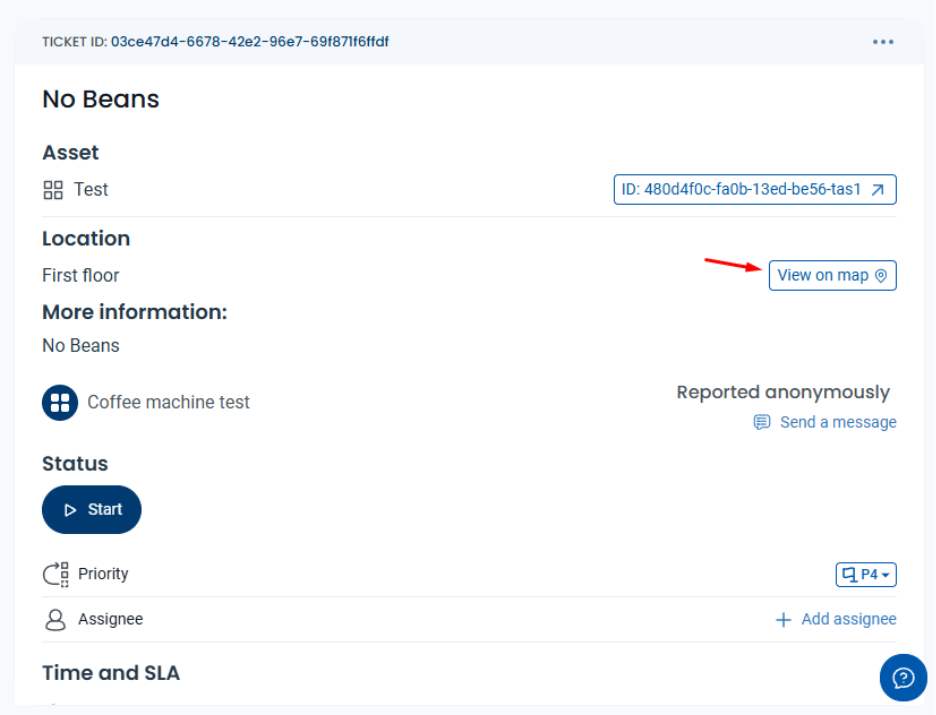
5. Added "View on map" button to selected ticket
A new "View on Map" button takes you directly from the ticket to its associated asset location. One tap, and you're there.
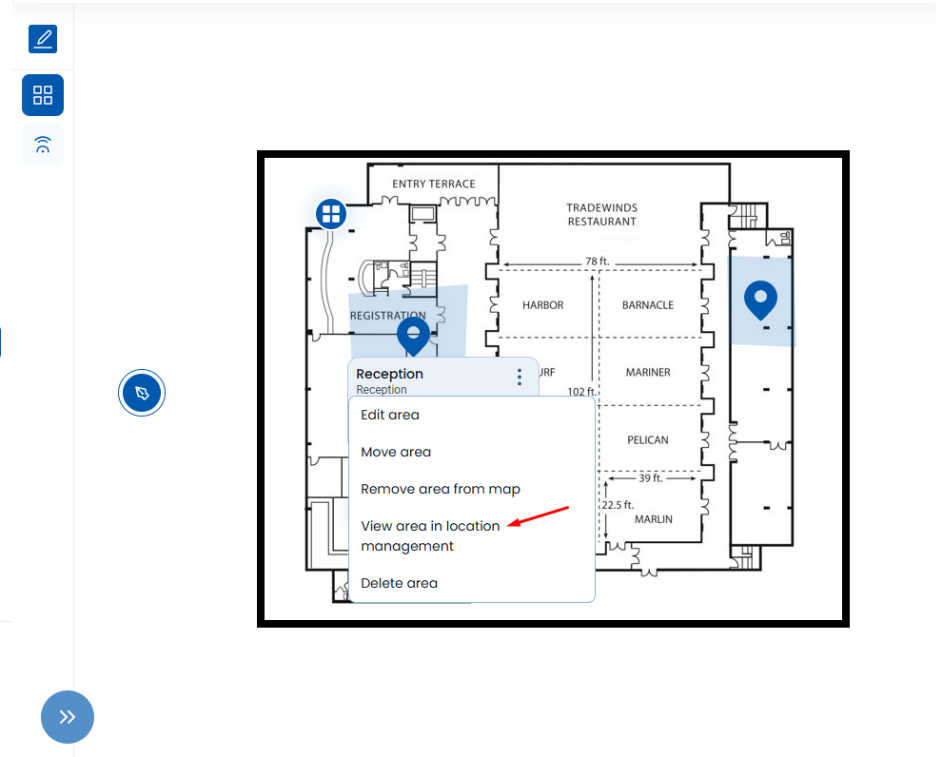
6. Link from Map to Location management
When edit mode is enabled on the Map screen, the 3-dots menu provides a new option: View Area in Location Management. Clicking this option navigates the user to Location Management with the corresponding location pre-selected.
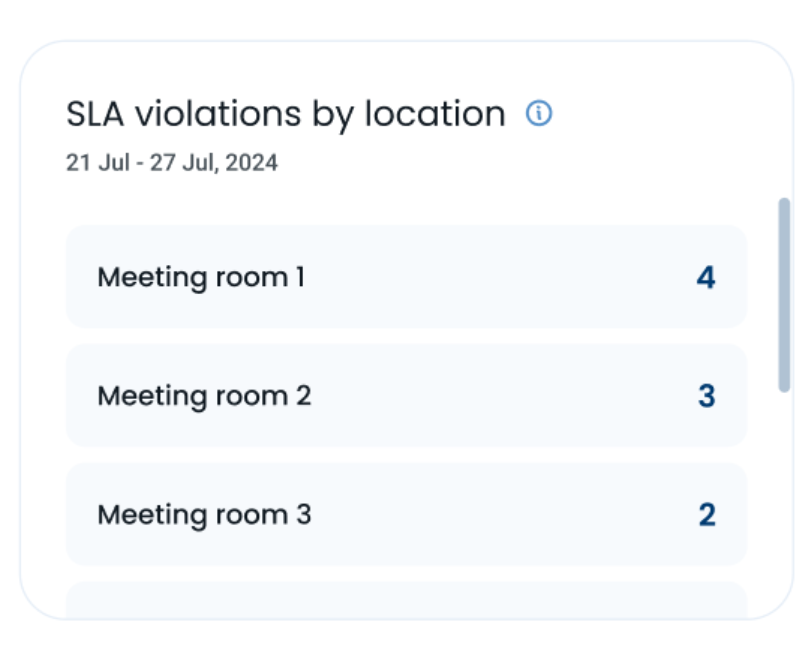
7. Solve Analytics: SLA Violations by Location
Solve Analytics has been enhanced with the SLA Violations by Location widget. This functionality provides a detailed listing of SLA violations within each specific location.
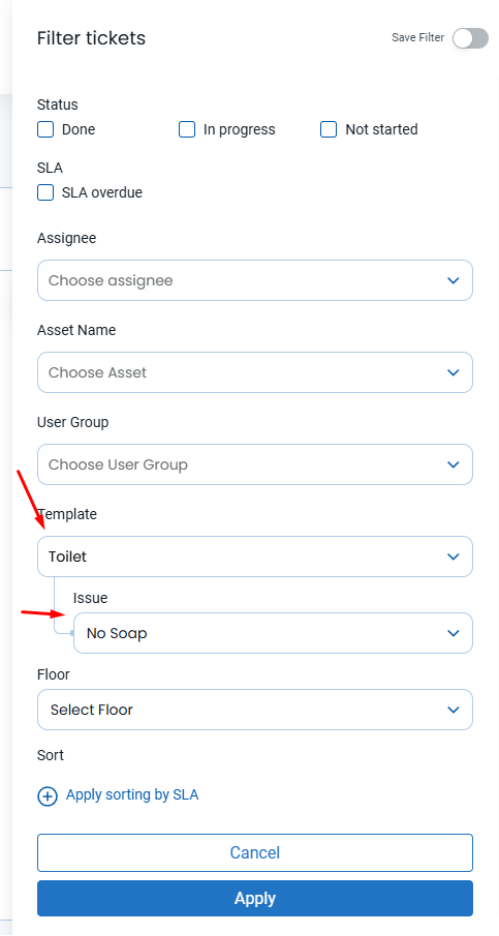
9. Added Ticket Filtering Functionality
User is now able to filter tickets by templates and issue types on the map.
Got feedback? We’re all ears.
Have a suggestion for the next release? Drop us a line.
Hereworks Solve Q1 Release Notes: Asset and Template Management Update

.jpg)
Where to Place Your Solve Tags: A Strategic Guide to Maximum Adoption
Solve Q2 & Q3 Release Notes: Smarter Maps, Faster Navigation, and Better Analytics
Hereworks Solve Q1 Release Notes: Asset and Template Management Update
Where to Place Your Solve Tags: A Strategic Guide to Maximum Adoption
Solve Q2 & Q3 Release Notes: Smarter Maps, Faster Navigation, and Better Analytics