The latest Hereworks Solve release brings a significant update to Asset and Template Management, with a redesigned interface across both web and mobile.
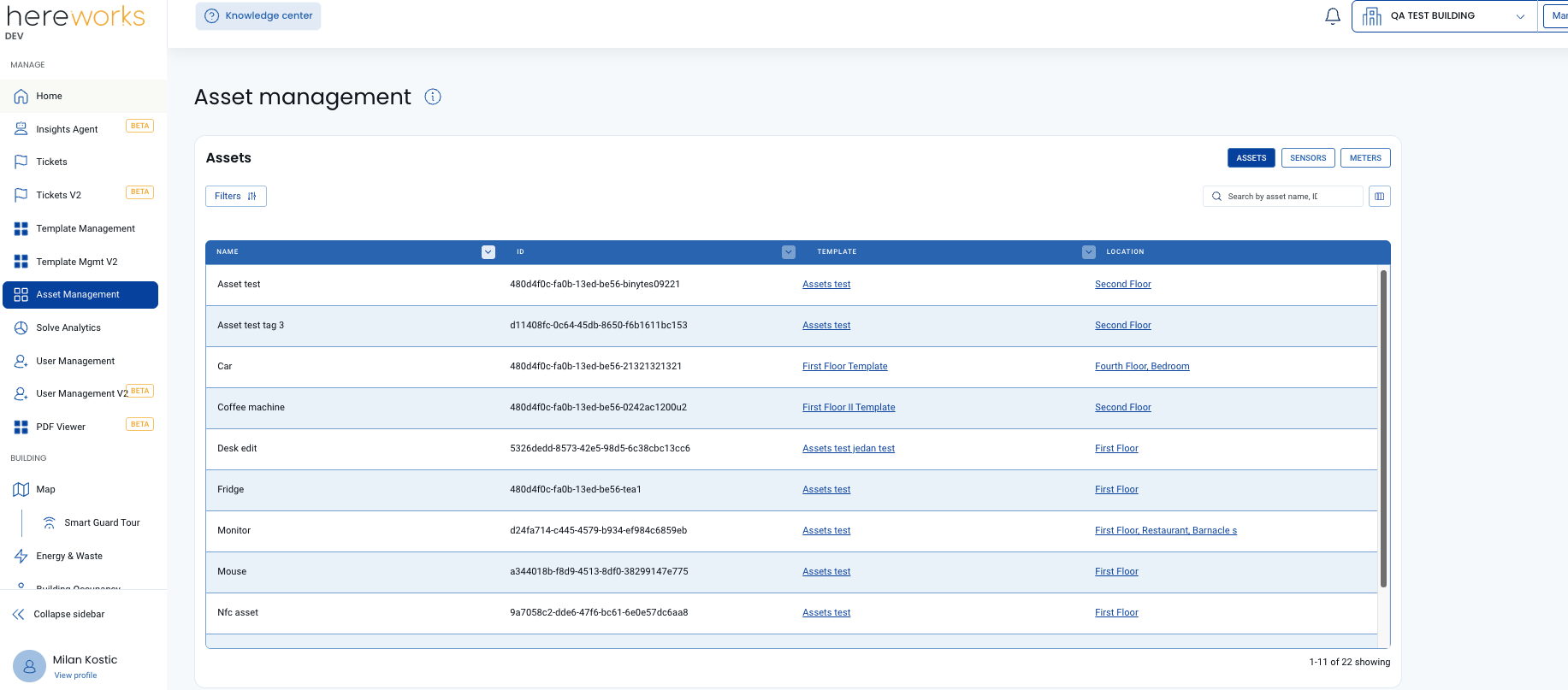
Asset Management has a new look and feel and now sits separately from Template Management, making it simpler to move between assets and find what you need. Filtering has been improved, and the new column picker gives users more control over how asset lists are viewed and searched. The “details” page and “edit” modal have also been refreshed, so managing individual assets feels quicker and more straightforward.
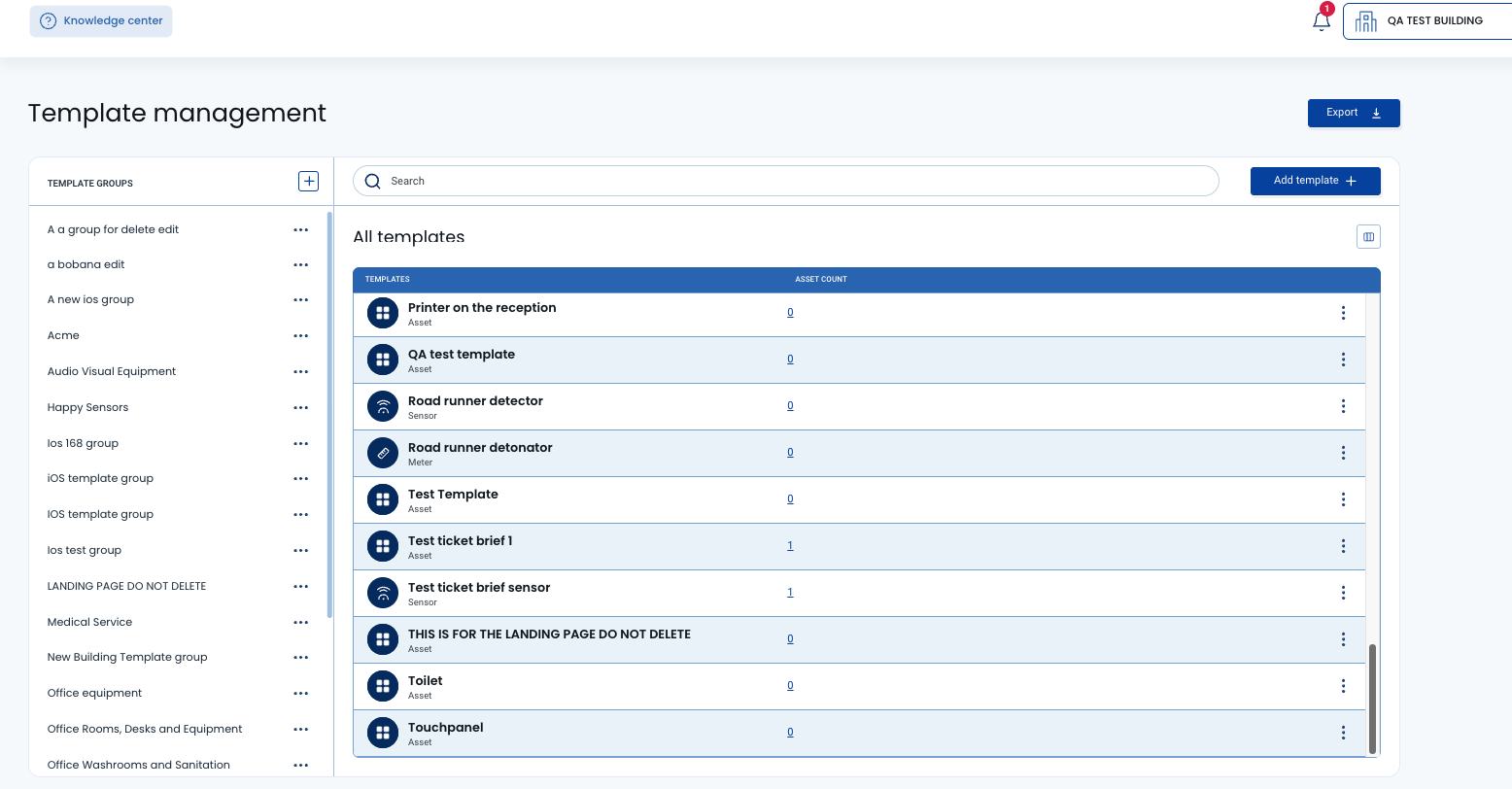
The Template Management landing page has been reorganised with “collapse” and “expand” functionality, making more complex template setups easier to navigate. The “create template” flow now uses updated modal screens for a smoother experience. Users can also use “live preview” to check how an issue list will appear in the web app or App Clip before it goes live.
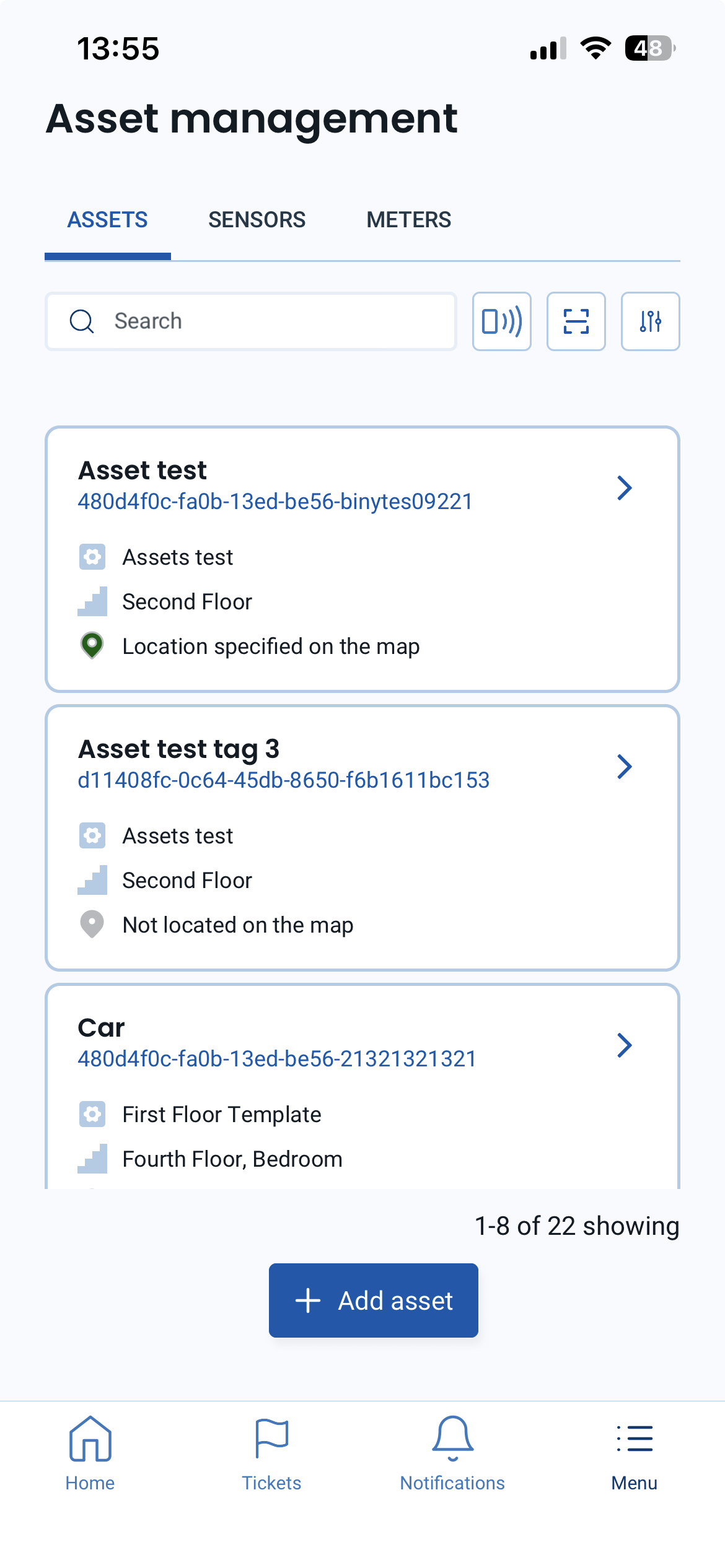
On mobile, Asset Management now has its own landing screen, improving navigation across assets, sensors, and meters. Filtering, sorting, and the redesigned details screen make asset information easier to access.
Hereworks Solve Q1 Release Notes: Asset and Template Management Update

.jpg)
Where to Place Your Solve Tags: A Strategic Guide to Maximum Adoption
.png)
Solve Q2 & Q3 Release Notes: Smarter Maps, Faster Navigation, and Better Analytics
Hereworks Solve Q1 Release Notes: Asset and Template Management Update
Where to Place Your Solve Tags: A Strategic Guide to Maximum Adoption
Solve Q2 & Q3 Release Notes: Smarter Maps, Faster Navigation, and Better Analytics